TRACKPAD · FREE

Use your iPhone as a Mac mouse,
trackpad and keyboard

Use your iPhone as a wireless trackpad and keyboard for your Mac. Move the cursor, click, type or change the volume, even from the couch. Put both devices on the same Wi-Fi and you are controlling your Mac. The trackpad is free.

Free to start · iOS 17+ · macOS 14+ · Both apps required
Signed and notarized by Apple · macOS 14+ · Apple silicon and Intel
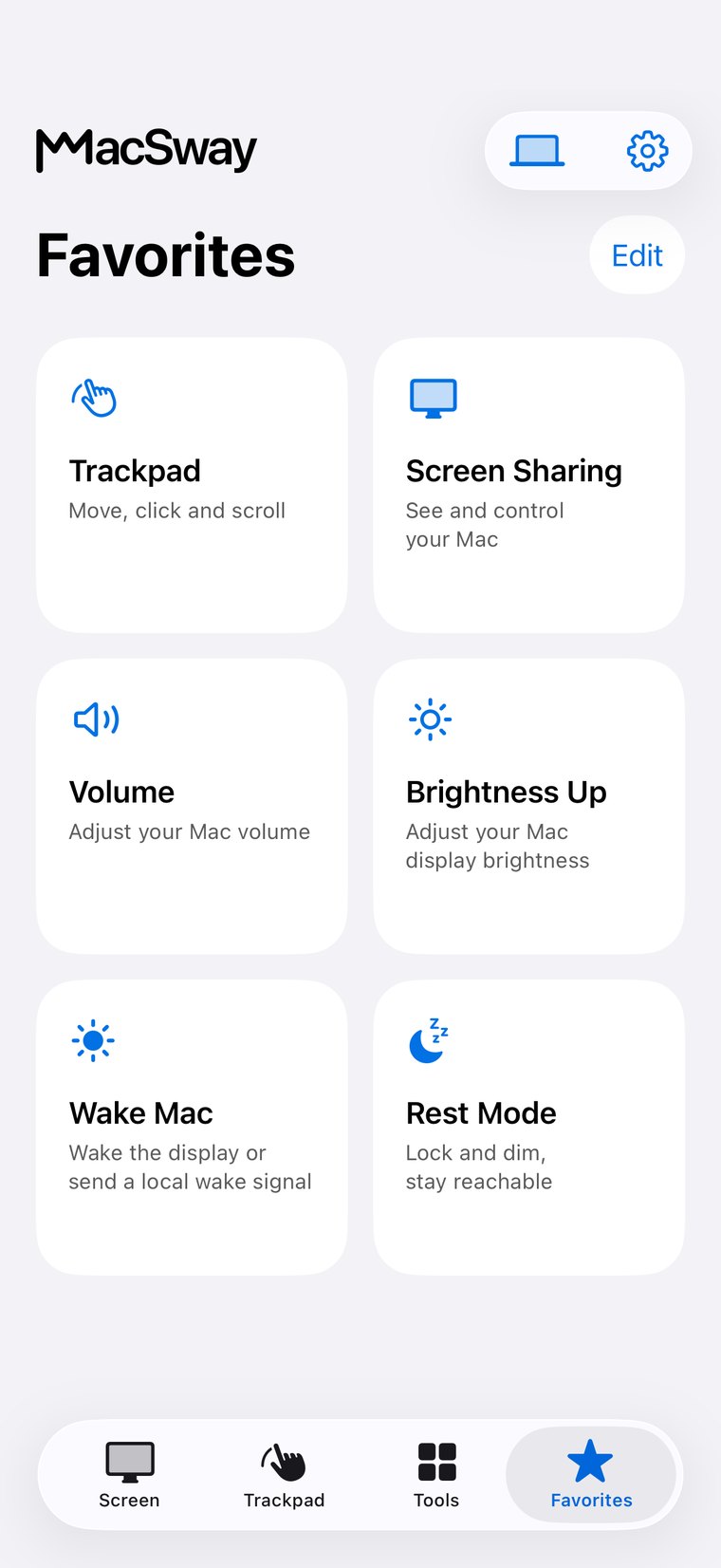
MacSway Favorites screen
✦
Trackpad and keyboardFree to use
Six-digit pairingEncrypted connection
NO ACCOUNT · NO CLOUD RELAYSee features
01

What the MacSway trackpad does

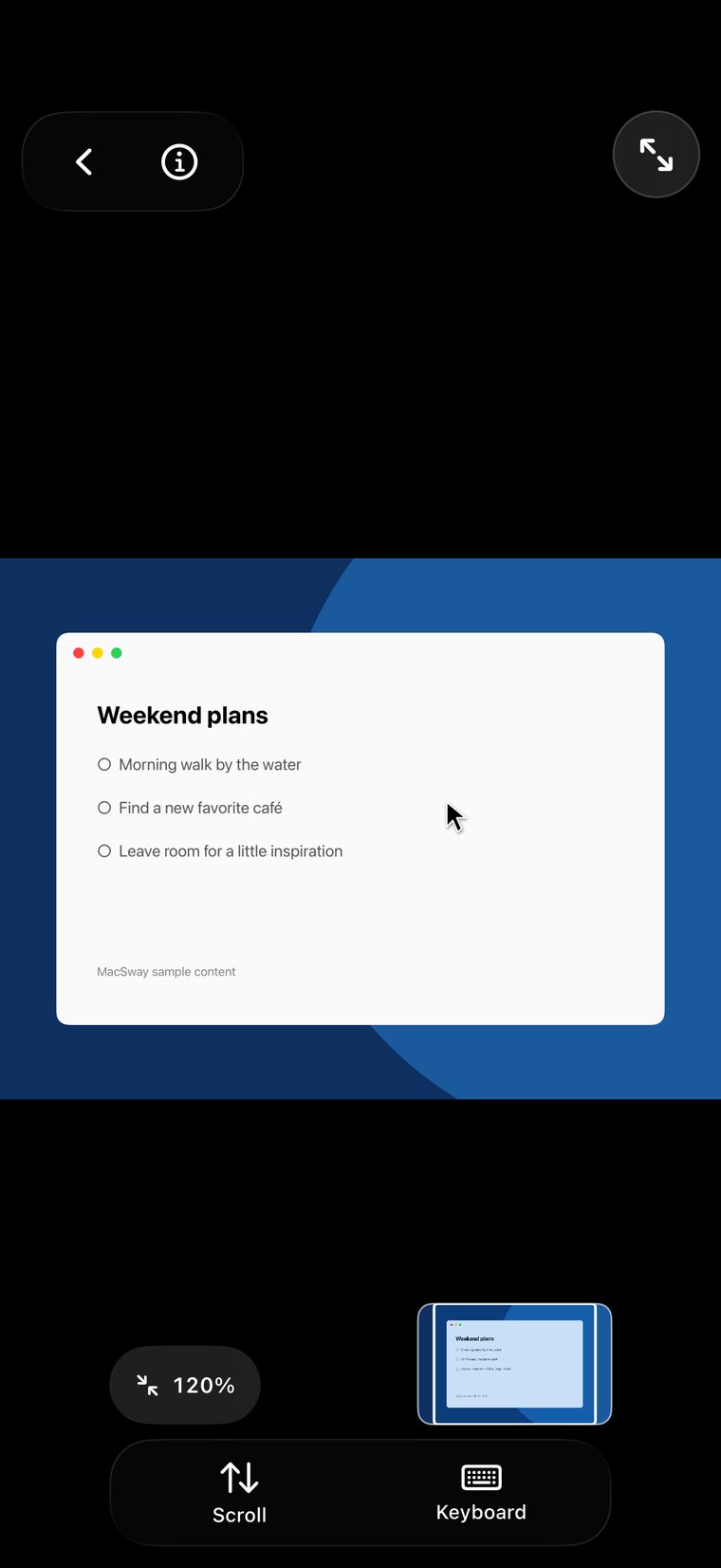
MacSway is an iPhone app that turns your iPhone into a trackpad, mouse and keyboard for your Mac. The trackpad is free, with no MacSway account.

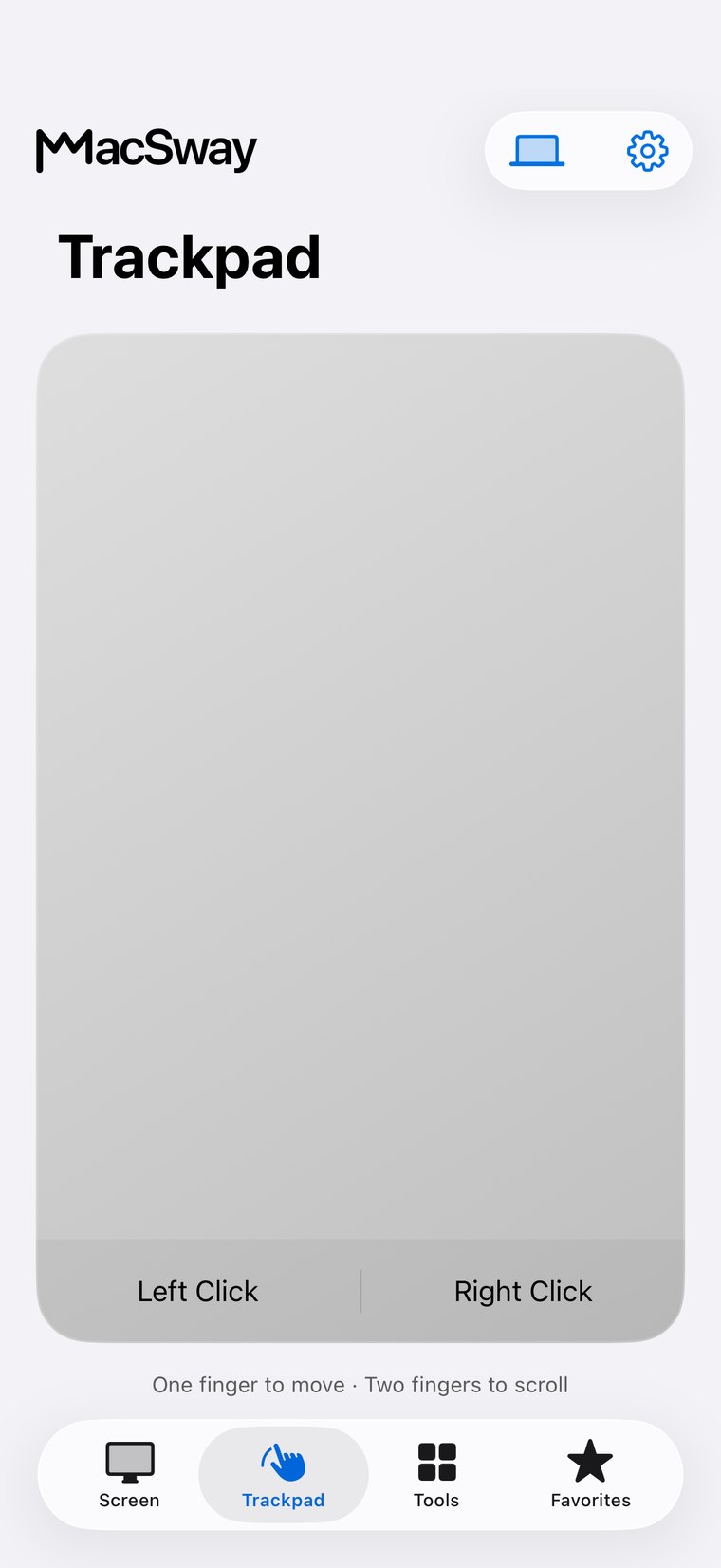
  • Cursor and click: move the cursor with a finger, tap to click, and use separate left and right click zones.
  • Scrolling: scroll with two fingers, in natural or traditional direction.
  • Typing: type with the iPhone keyboard, and send Return, Delete, Escape, Tab, arrows, copy, paste and select all.
  • Volume: adjust it with a slider in steps of 10, and mute the Mac.
MacSway
MacSway
02

Why use an iPhone?

Because your iPhone is already with you, and you do not have to look for a mouse or keyboard.

  • Familiar gestures: tap, two-finger scroll, left and right click zones.
  • Adjustable: you can set cursor speed, natural scrolling, tap to click and haptics.
  • From the couch: start a movie, rewind it, turn it down, while the Mac stays connected to the TV.
  • While presenting: advance slides with the arrow keys and move the pointer while you walk around the room.
MacSway
MacSway

The MacSway trackpad at a glance

01↗
↓

What you need

The iPhone app (iOS 17 or later), the Mac app (macOS 14 or later) and the same Wi-Fi. On the Mac you allow Accessibility. It works with any Mac running macOS 14 or later: MacBook Air and Pro, iMac, Mac mini, Mac Studio and Mac Pro, with Apple silicon or Intel.

02↗

What it costs

The trackpad, keyboard and volume are free. The rest is part of MacSway Pro: $3.99 a month, $24.99 a year or $49 once (US prices).

03↗

How private it is

The connection is direct and encrypted, and pairing is a six-digit code. There is no account and no MacSway server.

04✓
↓

Limits

The free features need both devices on the same Wi-Fi. MacSway cannot reliably wake a sleeping Mac.

AWAY FROM HOME

Reach your Mac
when you are away.

At home MacSway works over your Wi-Fi. Away from home, set up Tailscale on both devices and MacSway reaches your Mac across networks. Leave the Mac on and plugged in, with the companion app running. No MacSway account required.

DownloadBoth devices need Tailscale and internet. The Mac must stay on and reachable: plugged in, with a long auto-lock or in Rest mode.
PRICING

Free to start.
Pro when you need more.

Trackpad, keyboard and volume are free. Pro adds the screen sharing, widgets and remote access.

FREE
$0forever

Everyday control at no cost.

  • Local trackpad and gestures
  • Keyboard input
  • Volume controls
Try it
LIFETIME PRO
$49one time

Every Pro feature, paid once.

  • All Pro tools included
  • Non-renewing purchase
  • No recurring subscription
Try it

Build for community. Build from anywhere. 💙

FAQ

Common
questions.

Quick answers before you install.

How do I use my iPhone as a mouse and trackpad for my Mac?

MacSway is an iPhone app that turns your iPhone into a trackpad, mouse and keyboard for your Mac. Download the MacSway Mac app from the website, install the iPhone app, put both devices on the same Wi-Fi, choose your Mac on the iPhone and enter the six-digit code the Mac shows.

Is the MacSway trackpad free?

Yes, the MacSway trackpad, keyboard and volume control are free, with no MacSway account, on the same Wi-Fi. Screen sharing, widgets, Music and Spotify control, file transfer and access from away are part of MacSway Pro.

What gestures does the MacSway trackpad support?

On the MacSway trackpad you move the cursor with a finger, tap to click, scroll with two fingers, and use separate left and right click zones. Cursor speed, natural scrolling, tap to click and haptics can be adjusted.

Can I type on my Mac from my iPhone?

Yes, with the MacSway keyboard you can type on your Mac from your iPhone. It sends letters, Return, Delete, Escape, Tab and arrows, and supports copy, paste and select all. This is free too.

Can I change my Mac's volume from my iPhone?

Yes, MacSway changes the Mac volume with a slider in steps of 10 and can mute it. Volume control is free.

Does the MacSway trackpad work away from home?

The free features need your iPhone and Mac on the same Wi-Fi. Away from home you need MacSway Pro and Tailscale on both devices, and the Mac has to stay on, plugged in and running the Mac app.

What do I need to set up on the Mac for the MacSway trackpad?

For the MacSway trackpad you allow Accessibility on the Mac, and Local Network for connecting. Keep the Mac from sleeping: plug it in or use Rest mode. The steps are on the Prepare your Mac page.

How is MacSway different from a simple remote mouse app?

Besides the trackpad, MacSway gives you a keyboard and volume control for free, and with Pro the Mac screen, widgets, music control and file transfer, with no account and no cloud. If you later want to see the Mac screen, you do not need to switch apps.
Control your Mac
from your iPhone.

Install the Mac app and the iPhone app, pair with a six-digit code, and start.

Coming soon to the App Store

MacSway is in App Store review. Leave your email and we will send you a single message when it is available.